What is a system prompt, and how does it influence model behavior?
System prompt: what it is and how it influences model behavior, including role, persistence, and examples. Learn how the system prompt sets global priorities and interacts with user prompts to shape tone, constraints, and factual framing.
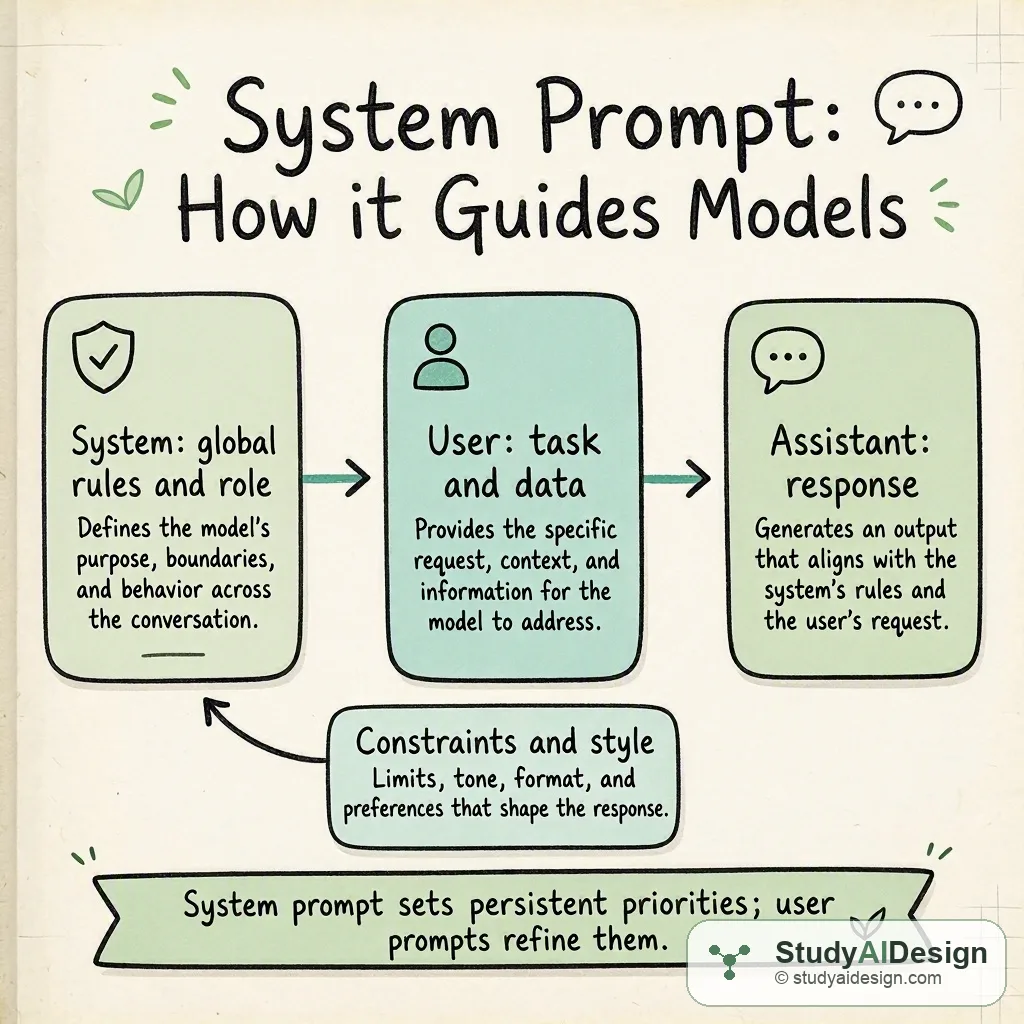
TL;DR
- System prompt: the persistent instruction set the model treats as authoritative for the session.
- It sets role, constraints, tone, and priorities that influence every generated token.
- User prompts provide task-specific details but usually do not override clear system rules.
- Small changes in wording or order can significantly alter model behavior. Key tradeoffs: system prompts give strong global control but can be rigid or conflict with user needs.
In this question, we will learn what a system prompt is and how it influences model behavior in practice. We will treat the system prompt as a special, persistent instruction that guides the model across the whole session and see concrete examples of its effect.
We will cover the following:
- The intuition
- How it actually works
- Practical patterns and templates
- When to change the system prompt
- Tradeoffs and failure modes
- Questions the interviewer might ask
- What the interviewer is really testing
A system prompt is a persistent instruction that establishes a model role, constraints, and priorities for a session. It influences model outputs by changing the context the model conditions on, so it shifts token probabilities such as . User prompts add specific tasks but normally follow or refine the system's rules.
The intuition
Think of the system prompt as the stage directions for a play. It tells the actor the role, the attitude to assume, and the non negotiable rules for the performance. User prompts are then the lines the director gives during the scene. The model chooses words based on both the stage directions and the immediate lines, but strong stage directions make some lines more natural than others.
How it actually works
The model generates each token conditioned on the full conversation context. A system prompt appears at the start of that context and therefore biases the whole probability distribution the model uses. Practically, that means clear, concise system instructions will increase relative probabilities of tokens that satisfy those constraints.
Concrete worked example
Imagine a small instruction set where the system prompt asks for formal tone and short answers. The model now prefers tokens consistent with that style. If we denote the probability of the next token as , the presence of a system instruction that emphasizes formality increases relative to .
Compare roles in a short table to make differences concrete:
| Prompt type | Scope | Typical content | Persistence |
|---|---|---|---|
| System | Global, session-wide | Role, constraints, safety rules, style | Persistent until changed |
| User | Single task turn or message | Question, data, task details | Local to that message or sequence |
| Assistant | Model output | Responses, clarifications | Generated content |
Example interaction
- System: "You are a concise legal assistant. Always cite laws when relevant. Limit answers to three sentences."
- User: "Summarize the main points of contract law for breach remedies."
The system instruction pushes the assistant to prioritize concision and legal citation. If the user asks for a long narrative, the model will still tend to obey the three sentence limit unless the user explicitly requests to override it and the system prompt is permissive.
Practical patterns and templates
Here are reliable system prompt patterns we use in interviews and small apps:
- Role and persona: "You are an expert customer support agent." Keeps tone and knowledge expectations consistent.
- Constraints: "Do not invent legal advice; say 'I do not know' when unsure." Reduces hallucination risk.
- Output format: "Respond with bullet points and a one sentence summary." Makes parsing easier.
- Priorities: "Safety rules override style preferences." Helps resolve conflicts.
When writing system prompts, prefer short explicit rules over long narrative. Short rules are easier for the model to act on and for you to debug.
When to change the system prompt
Change the system prompt when the global goals change. For example, move from a conversational assistant to a fact checking tool. Frequent small edits are fine for iterative tuning, but large abrupt changes can confuse session continuity. When you need temporary deviations, consider adding a brief user-level instruction that references the system rule you want to soften.
Tradeoffs and failure modes
System prompts give strong, session wide control but they have costs.
Common failure modes
- Conflicting rules inside the system prompt cause unstable outputs.
- Overly strict limits reduce usefulness for complex tasks.
- Implicit assumptions in the prompt lead to silent errors or hallucinations.
Questions the interviewer might ask
Some follow-up questions you might get:
How is a system prompt different from a user prompt? The system prompt is session level and sets role and constraints. A user prompt is typically a task request or data input that the model answers within the system rules.
Can a user prompt override the system prompt? Generally no, not reliably. A user prompt can sometimes request a different tone or task, but explicit system constraints tend to take precedence unless the system is written to allow overrides.
How do you test if your system prompt works? Run a suite of representative queries and evaluate outputs for adherence to role, style, and constraints. Check edge cases and conflicting instructions.
What are strategies to reduce hallucination using system prompts? Add explicit constraints like "Do not assert facts you cannot cite" and require sources or a confidence statement when uncertain.
When would you prefer user-level instructions over system prompts? When the requirement is temporary or highly specific to a single turn, use user instructions. System prompts are best for persistent, global behavior.
How do you debug a broken system prompt? Isolate by simplifying: remove rules until behavior returns, then reintroduce rules one by one. Use targeted tests that probe each rule.
Some things to note:
- Keep rules explicit and short for predictable results.
- Test with real user queries to surface conflicts.
- Document assumptions and allowed overrides.
What the interviewer is really testing
They want to know you understand prompt hierarchy, persistence, and practical control techniques. They expect you to explain how context shapes token probabilities and to show sensible testing and debugging strategies. Demonstrating tradeoffs between strict global control and local flexibility is key.
Related questions
How would you rate the quality of this article?
Prepare for your AI engineering interview
This is one of many detailed questions and explainers on StudyAIDesign. Browse the full set, work through the curriculum, and walk into your interview ready.